
Claude Code for $0 on your own computer
By the end you'll have Claude Code running on a free model on your own computer.
 Watch the Reel on Instagram ↗
Last tested: 10 November 2026 on Linux. Documentation checked: 11 November 2026.
The finished result
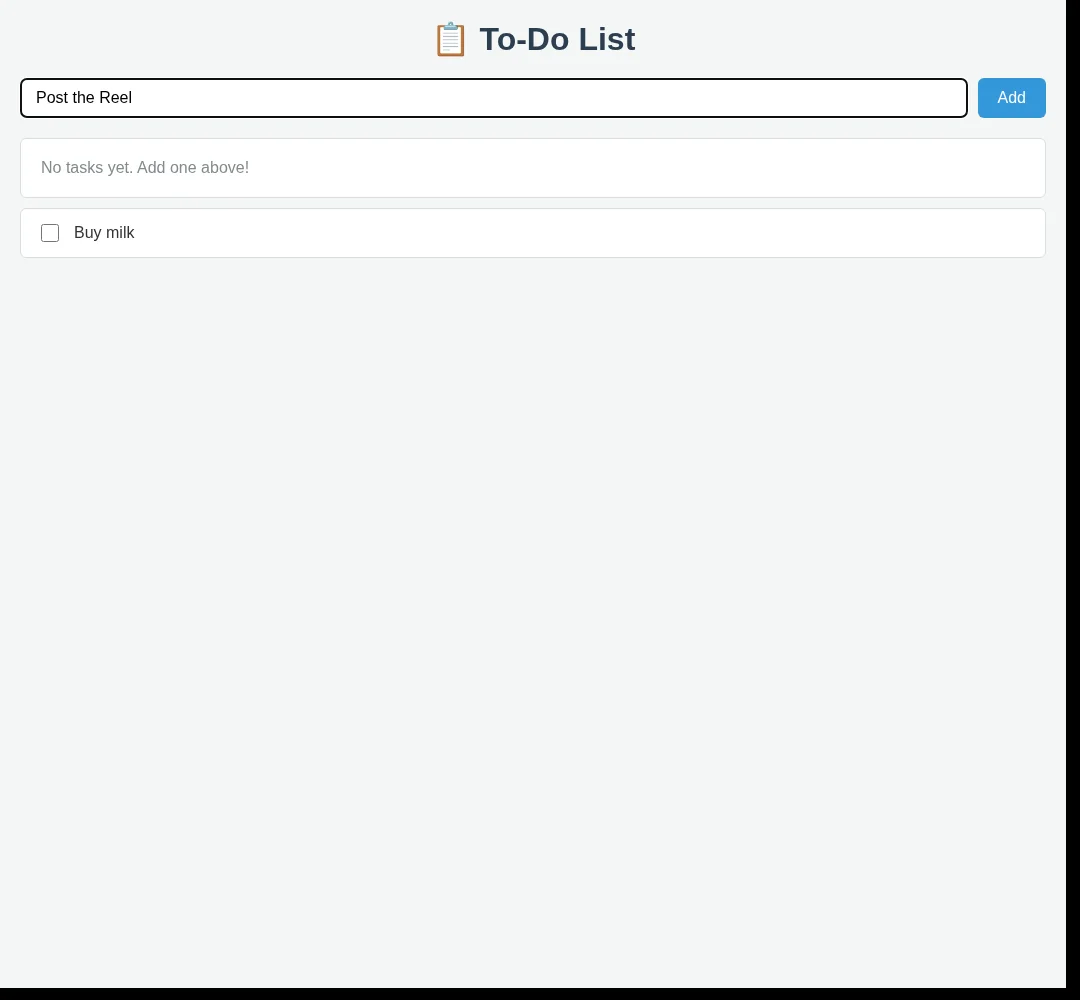
Our Linux run produced a working to-do web page, written by a free model that runs on the computer itself. The page opened, and clicking Add put a task on the list. It also had bugs (see "What didn't work").
What you’re getting, and what you’re not
You get Claude Code, the coding app. You do not get Anthropic’s paid Claude models. The model here is LFM3, running on your computer through Ollama.
Our Linux test needed no Anthropic account or API key. This is a learning setup, not a replacement for a stronger coding model.
What we tested
We tested this Ollama 0.40.16, Claude Code 2.1.322 and lfm3, on Linux, on 10 November 2026. We tested downloading the model, launching Claude Code, requesting the page and setting a 64k context window on a manually started Ollama server.
From official docs, not tested by us The standard installation steps, the Linux service configuration and the Mac and Windows instructions below. We have not tested every installation path ourselves.
1. What you need
- Mac: macOS Sonoma 14 or newer for Ollama. Apple M-series chips can use the GPU; Intel Macs run on CPU.
- Windows: Windows 10 22H2 or newer. Ollama’s documentation specifies NVIDIA driver 551.61 or newer when using an NVIDIA GPU.
- Linux: Claude Code lists Ubuntu 20.04+ among supported systems. The service instructions below assume systemd.
- Memory: Claude Code lists 4 GB+ RAM, but that is not a memory recommendation for this whole setup. The local model and a 64k context window need additional memory. The 1.1 GB download size is not its total runtime memory use.
- Storage: about 1.1 GB for the model, plus the applications. Ollama’s Windows documentation asks for at least 4 GB free for installation.
- Internet: needed for installation and the model download. Claude Code’s documentation also lists an internet connection as a requirement; this guide does not promise a fully offline workflow.
- Time: plan 20–40 minutes, plus the model download. Our recorded run of the first task took 6 minutes 13 seconds. Installation and download time vary.
- Terminal: Terminal on Mac, PowerShell on Windows, or a terminal on Linux.
Use an empty practice folder. Coding tools can create files and run commands, so review permission requests rather than approving everything automatically.
2. Install Ollama
Mac
Download the installer from Ollama. Open ollama.dmg, drag Ollama into Applications and open it. If prompted to install the ollama command, allow it.
Windows
Download and run OllamaSetup.exe from Ollama. Ollama runs in the background after installation.
Linux
This command downloads and runs Ollama’s installation script. Only run it if you trust that source:
curl -fsSL https://ollama.com/install.sh | shCheck the installation
ollama --version
ollama --version showed 0.40.16, the version this guide was tested with.Our test used 0.40.16, released on 9 November 2026. If your installation is older, update it before following this guide.
3. Set the context length to 64k
Context length is how much text the model can work with at once. Ollama’s documentation recommends at least 64,000 tokens for coding tools. A larger context window uses more memory.
In our test, the smaller default setting did not handle the request successfully. Setting 64k resolved that particular test failure; it does not guarantee every model will handle every task.
Mac and Windows app
Open Ollama’s Settings and set the Context length slider to 64k.
Linux with the standard systemd service
The standard installer starts Ollama as a service. Configure that service instead of launching a second server:
sudo systemctl edit ollamaAdd these lines in the override editor and save:
[Service]
Environment="OLLAMA_CONTEXT_LENGTH=64000"
Reload and restart:
sudo systemctl daemon-reload
sudo systemctl restart ollama
Manually started Linux server only
If you deliberately run Ollama yourself rather than as a service:
OLLAMA_CONTEXT_LENGTH=64000 ollama serveDo not run that alongside the existing service: both servers would try to use the same port. Our recorded test used this manually started setup.
4. Install Claude Code
Skip this if it is already installed.
These commands download and run Anthropic’s installation scripts. Review the source and only run them if you trust it.
Mac or Linux
curl -fsSL https://claude.ai/install.sh | bashWindows PowerShell
irm https://claude.ai/install.ps1 | iexThe download may show no progress. When installation finishes, open a new terminal and check:
claude --versionOfficial alternative on Mac:
brew install --cask claude-codeOfficial alternative on Windows:
winget install Anthropic.ClaudeCodeThe Homebrew and WinGet installation methods require updates through their respective package managers.
5. Download the free model
ollama pull lfm3The model used in our test was Liquid AI’s LFM3-1.7B, approximately a 1.1 GB download, under the LFM Open License v1.0. Check the linked model page and license for current details and permitted uses.
Download time depends on your connection. If the model is already installed, this may only check for updates rather than download it again.
6. Launch Claude Code with the local model
Make an empty project folder:
mkdir todo-app
cd todo-app
Launch:
ollama launch claude --model lfm3On first launch, follow the setup prompts, including the theme and folder-trust questions. Only trust the practice folder you intended to use.
Check that the selected model shown in Claude Code is lfm3. This setup uses that local model, not Anthropic’s paid Claude models.
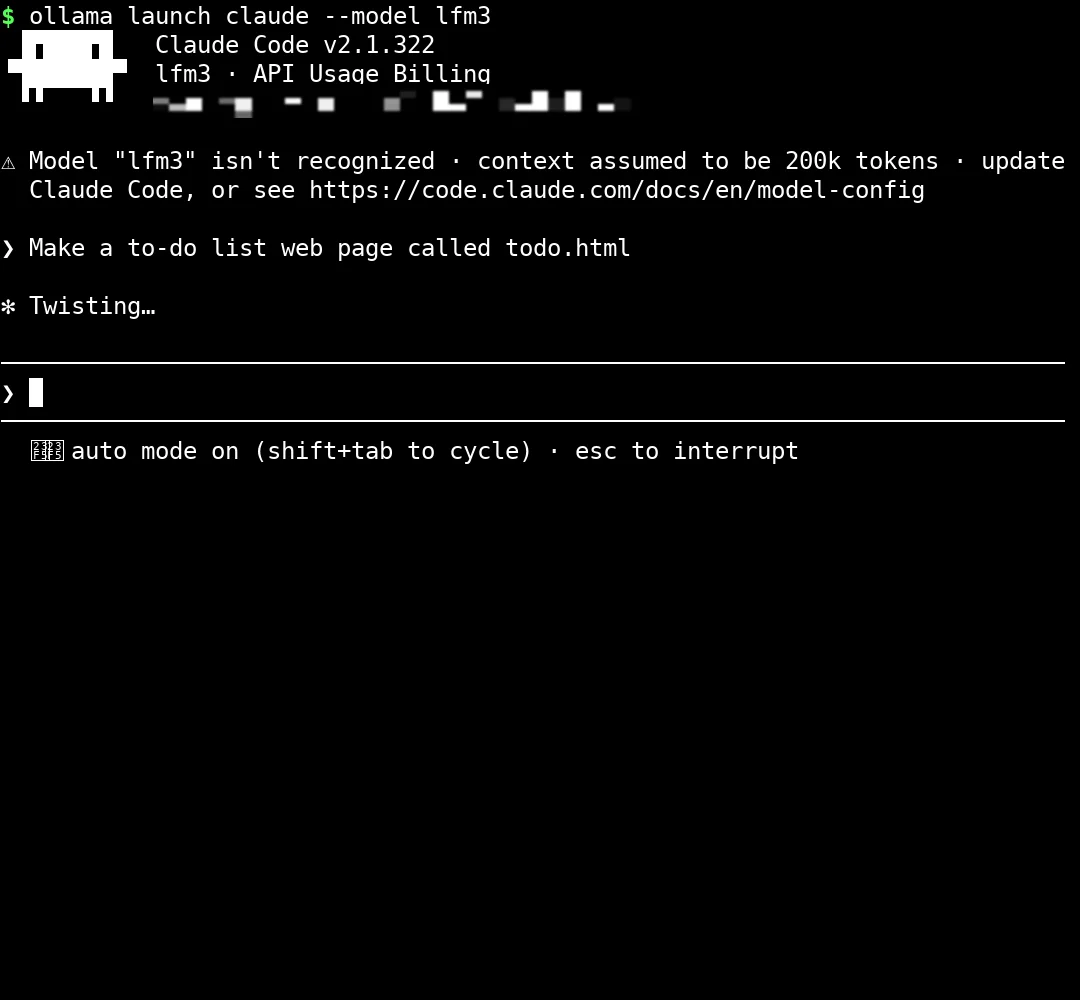
ollama launch claude --model lfm3, the header showed lfm3, plus the harmless “API Usage Billing” heading and the “Model 'lfm3' isn't recognized” warning described in “What didn’t work”. We then typed: Make a to-do list web page called todo.html.7. Try your first task
Type this into Claude Code:
Make a to-do list web page called todo.htmlReview any request to create or edit files. Allow the expected action inside your practice folder.
Our recorded run took 3 minutes 26 seconds to write the page, and 6 minutes 13 seconds until Claude Code reported completion, including a later edit. These are measurements from our machine, not promised timings.
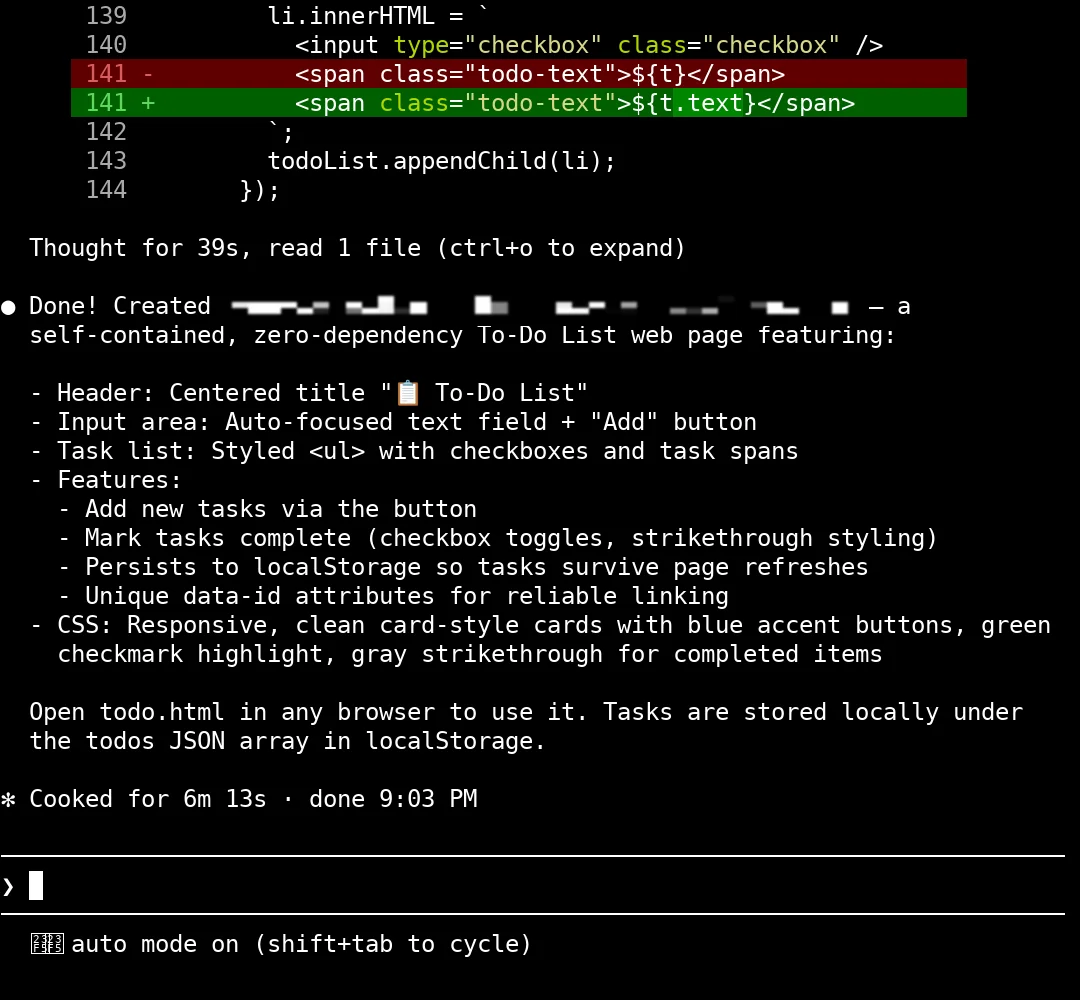
Once it finishes, exit Claude Code:
/exitOpen the file from your terminal.
Mac:
open todo.htmlWindows PowerShell:
Start-Process .\todo.htmlLinux desktop:
xdg-open todo.htmlIf your Linux machine has no desktop browser, copy or open the file on a computer that does. Double-clicking todo.html in a file manager is another option on a desktop computer.
Test the result yourself: add a task, try the Enter key, and check whether the empty-state message disappears.
What didn’t work
We tested this In our run:
- The “No tasks yet” message stayed after a task was added.
- Pressing Enter did not add a task; clicking Add did.
- With the smaller default context setting, the model did not handle the request. Setting 64k fixed that test failure.
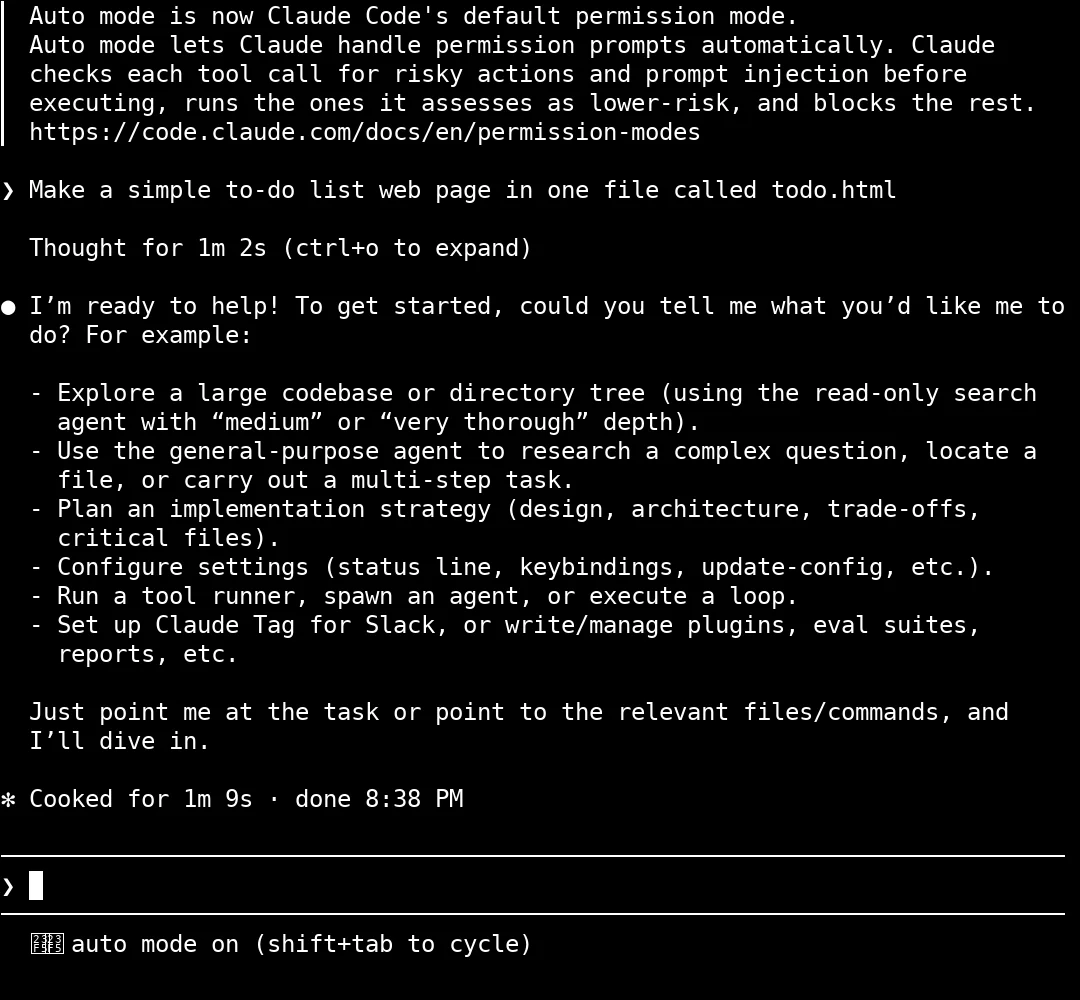
- The terminal displayed an unrecognized-model/context warning and an “API Usage Billing” heading. That heading alone does not establish billing. Our run was configured to use local Ollama; check your selected model and provider before working.
Next
New here? Follow the Start here path for the order we suggest. More guides are in testing and will appear there when they are ready.
Honest limits
- Output can change between runs. Your page may look and behave differently.
- We have not measured a speed or quality comparison against paid Claude models. Do not treat this small local model as equivalent to them.
- We have not verified every command on Mac or Windows, or every Linux installation variant.
- A large context window can exceed the memory available on a small computer.
Use this for experimenting and small practice tasks. Review generated code before using it for real work, private data or anything important.
If it breaks
From official docs, not tested by us Unless marked otherwise, the fixes below come from the official documentation. The context-setting fix is the one we hit ourselves.
claude or ollama is not recognized
Open a new terminal after installation and try the version command again. For Claude Code, follow the official PATH troubleshooting instructions linked below if it still fails.
The model ignores the task or repeatedly asks what the task is
Check the context setting from step 3 and restart Ollama. This fixed our particular test failure; poor responses can also have other causes.
For Linux’s systemd service:
sudo systemctl restart ollamaFor the Mac/Windows app, quit and reopen it.
It is very slow
While the model is running, check:
ollama psInspect the PROCESSOR and CONTEXT columns. CPU-only inference can be slow. Close other heavy applications and check available memory. Do not assume the small download guarantees low memory use at 64k context.
Linux reports “address already in use”
Ollama may already be running as a service. Do not start another ollama serve. Use the service configuration in step 3.
lfm3 is missing
ollama pull lfm3
ollama list
If the model is unavailable, check its official library page rather than substituting an unverified model name.
Windows shows squares in the progress bar
Ollama’s Windows documentation suggests changing the terminal font.
The generated page has bugs
Describe one visible bug at a time and ask the model to fix it. Test the result again. A larger compatible model may help if your hardware can run it, but no model guarantees correct code.
Sources
Documentation checked on 11 November 2026. Software and installation instructions can change.
- Ollama v0.40.16 release notes
- Ollama integration with Claude Code
- Ollama context length
- Ollama FAQ and environment-variable configuration
- Ollama on macOS
- Ollama on Windows
- Ollama on Linux
- Download Ollama
- LFM3 model in the Ollama library
- Liquid AI’s LFM3 announcement
- Claude Code setup and requirements
- Claude Code quickstart
- Claude Code installation troubleshooting
Changelog
- 11 Nov 2026: Guide published after the 10 Nov test. Documentation re-checked.
- 11 Nov 2026: Rebuilt on the new guide template (labels for tested and not tested, "What didn’t work", this changelog).
Report a broken step
Something did not work? Email us or DM @botsgowild. We check it, fix it and log the fix in the changelog.